Emotional Regulator
Gesture-driven expression for sentiment and turbulence that links to a regulatory breathing exercise.
Skills
Prototyping/Vibe-Coding
Timeline
1 day
Tools Used
Figma • Claude Code (Design and Dev)
GitHub • Vercel (Deployment)
Context
This exploration was a result of questions my therapist asked me a while ago: "What kind of shape are your feelings taking on in this moment? What does it look like? What size is it?"
I was a little stumped. My hand gestures kept trying to fill the gaps in my vocabulary, and it was an offhand observation for me to realize that I was almost trying to will something tangible in front of me that I could show over Google Meet and say, "Here, this is it."
A lot of emotional regulation tools are text-based, like journal prompts. It needs you to describe how you feel using words when your body already knows.
There can be a disconnect between the physical experience of emotion and the interfaces designed to help communicate it.
The Approach: Your Body as an Input
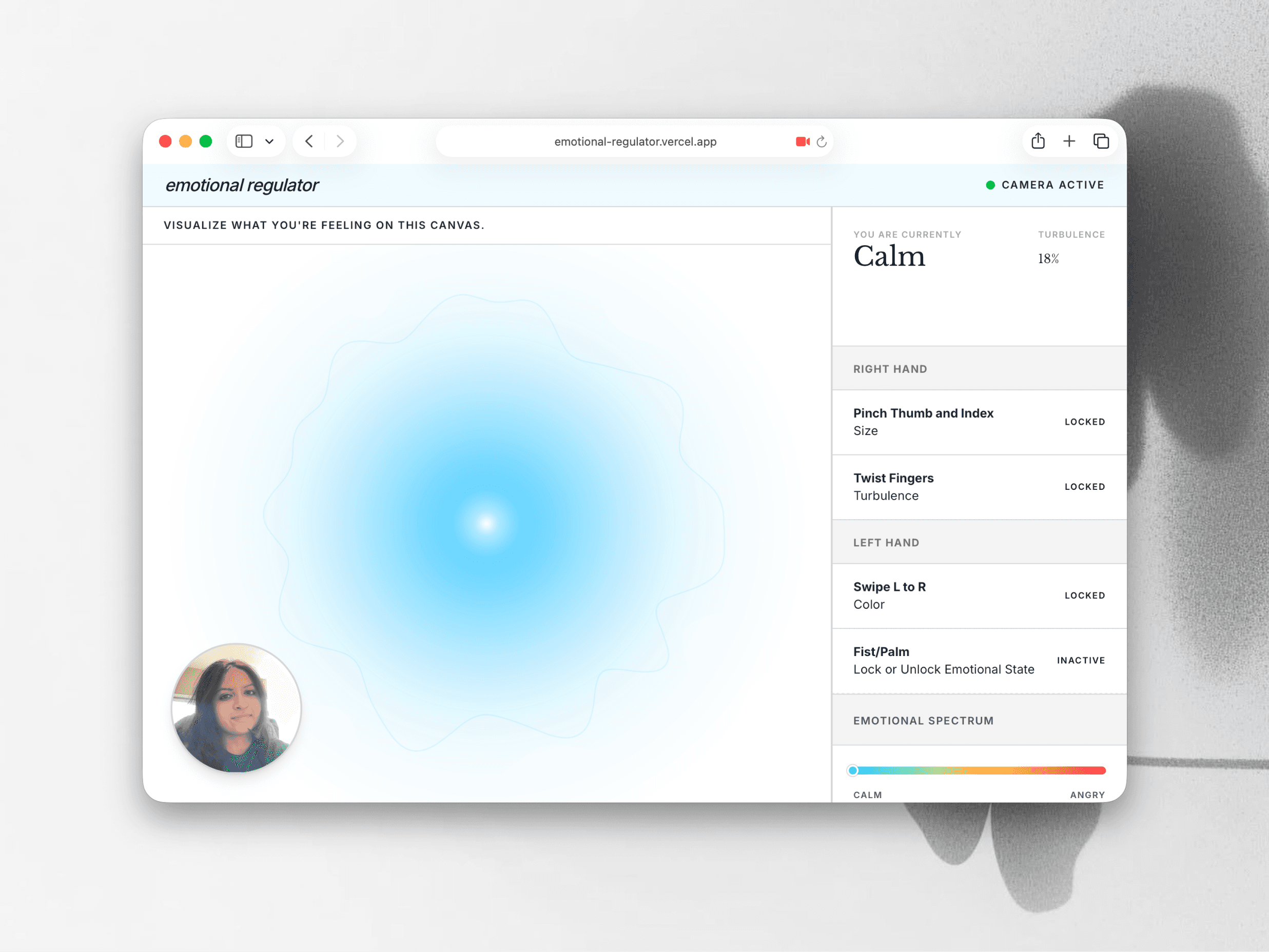
With these musings, I thought: what better way to continue learning today's tools than to apply it to real-life experiences, and play with some fun interactions that I couldn't technically implement before? I decided to leverage webcam-based hand tracking to let users externalize their inner state as a living, breathing orb on screen.
Interactions
Every gesture maps to a property of the orb. The bottom-left shows the user their current webcam live feed to reflect their gestures that might be influencing any responses. The right hand controls physical qualities like size and turbulence while the left hand controls more vivid expression through color. With the shifting of hands within the view and potential misinterpretation of movement as modification, I decided to include a mechanism to "lock" in the physical state while the user focuses on the color spectrum.
The sidebar translates the orb state into a readable emotion label and a turbulence percentage.
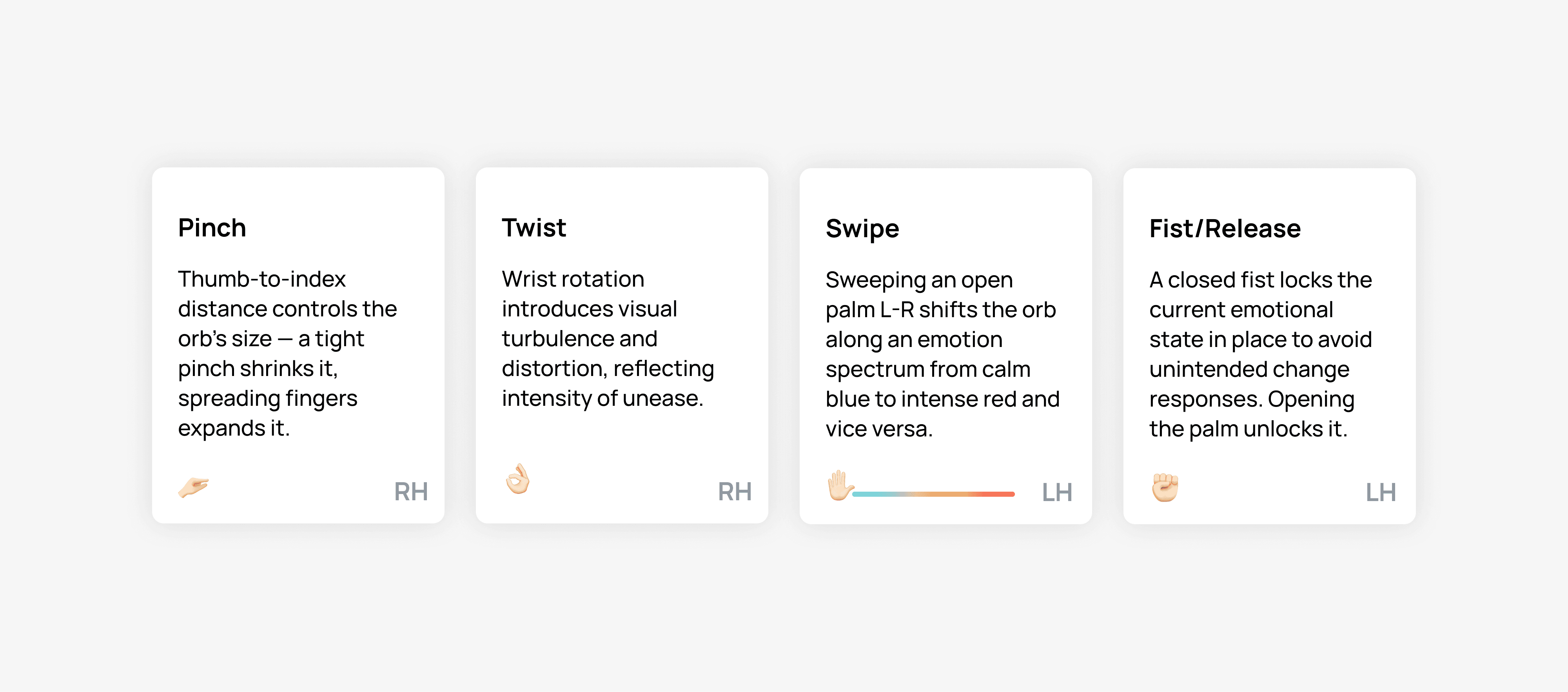
When the emotional spectrum reaches "Uneasy" or beyond, a Regulate button appears, which takes the user into a guided 4-4-4-4 box breathing session where the orb visually regresses toward calm over 2–8 cycles, proportional to its original configuration in the main canvas.
Build Process
I put the website together in a day as to quickly test some context engineering and prompting tips I recently learned from an online course.
Figma
Used it to create the Canvas UI.
Claude Chat
I provided an overview of what I was trying to accomplish and added a screenshot of the UI in Figma along with the description. Then, I asked Claude to provide me with an overarching persistent context plan, and the main plan of implementation broken up into comprehensive phases as markdown files.
Claude Code
From here, I uploaded the files in order, verifying and making any iterations on the local dev server site after each phase, continuing until everything worked like I wanted it to.
GitHub
The site was then added to a repo I created in GitHub. I also asked Claude to generate CLAUDE.md and README.md files to add as context for the repo.
Vercel
Deploying to Vercel once the implementation pipeline was done was a quick thing.
Reflection
This was an informative exercise to carry out because I was able to approach the process more systematically, and apply tips I had learned in theory to practice. I was able to steer the agents better, and experience the benefit of quick iteration for enhancement. It also served as a great comparison point against different tools and agents to get a feel for how to adapt depending on the type of tool or project goal.