

Collaborative Guides in Apple Maps: A Design Exercise
A design and prototype exploration to support collaboration within shared guides in Apple Maps.
Skills
UX/UI Design • Prototyping
Timeline
Design: 2 days
Prototyping: Ongoing
Tools Used
Figma
Claude Code • XCode • Cursor
Overview
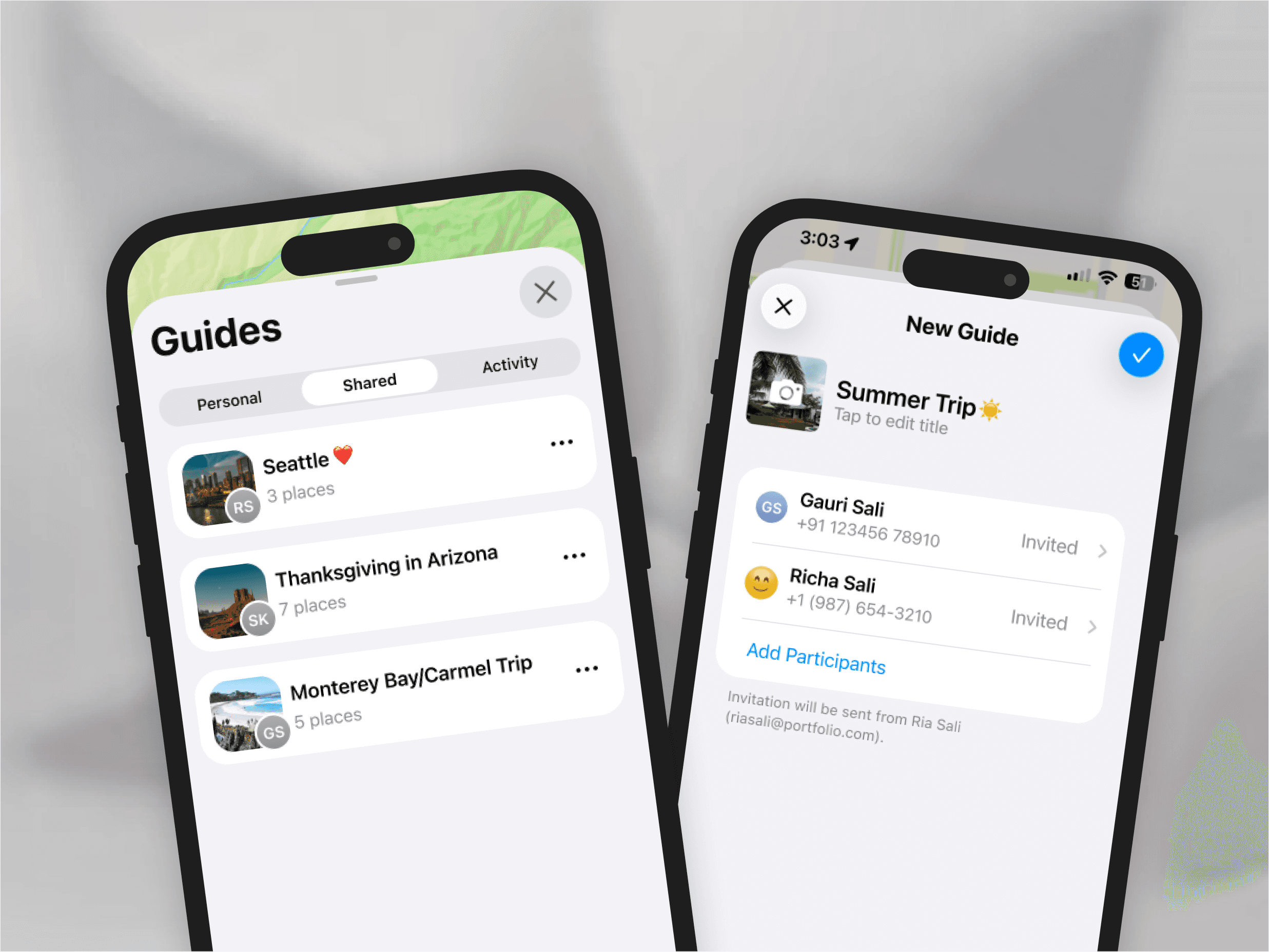
This short exercise is a personal exploration into what collaborative guides in Apple Maps could look like. An aim for the project was to outline a simple flow for a user to create and share a guide with others to contribute to, and use the design as a basis to delve into learning how to leverage AI-powered coding tools to build a functional SwiftUI iOS prototype.
Opportunity
Apple supports collaborative experiences in a number of its applications, one of the most prominent and persistent being the Shared Albums in the Photos app. It is a central way of engaging with other friends and family to distribute and preserve memories in a customizable manner.
I felt like there was an opportunity to incorporate the same concept in Apple Maps based on my own experiences of planning trips, keeping note of locations I wanted to visit with others, and gaps that existed in some of that communication.
Insights
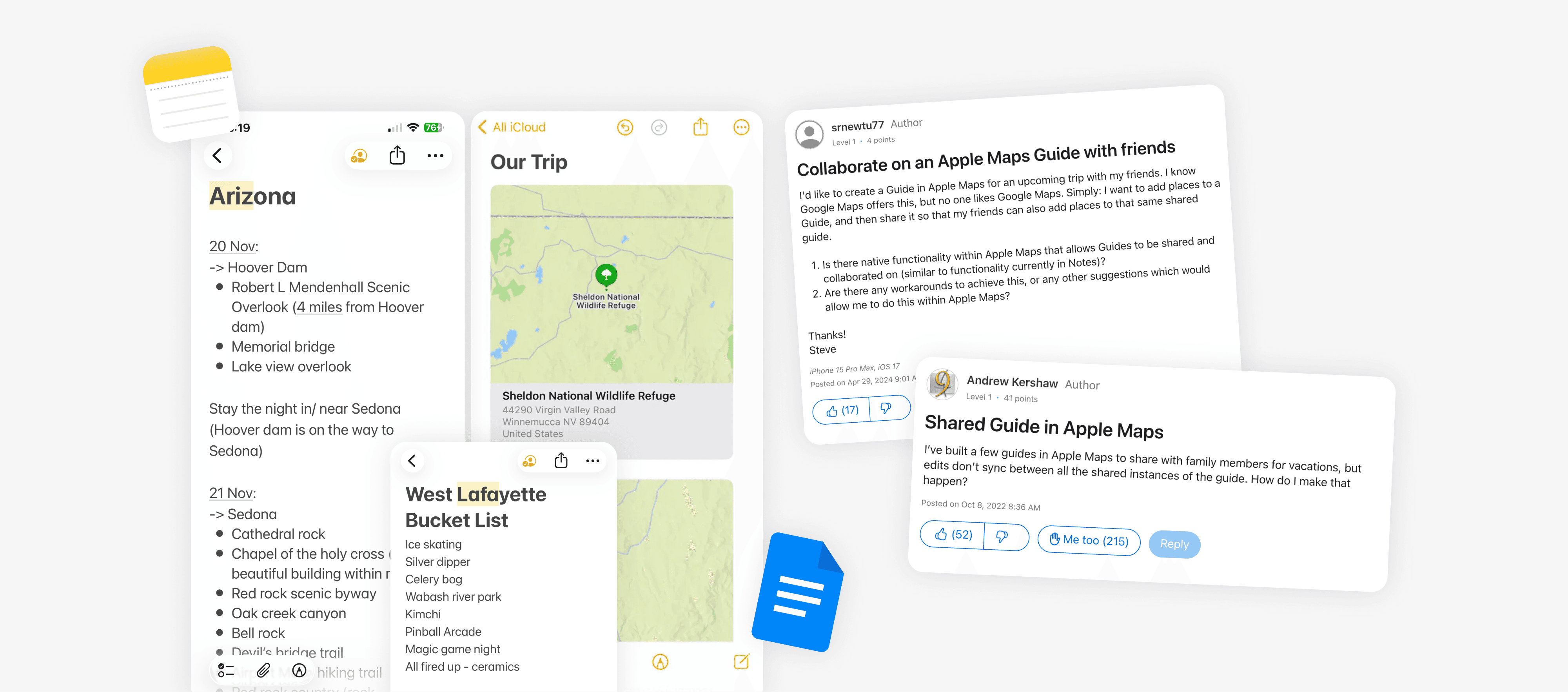
I looked back at the different ways in which my friends and I would share suggestions or keep track of locations we wanted to visit, either during a structured trip or as an open "want to go" board.
We would use collaborative notes on iOS or Google Docs, and write down places with any associated comments. In line with my own reflection, scouring through Reddit and the Apple Community Board showed me that many other users resort to similar solutions and have long been asking for a centralized sharing feature.
Gaps

Key Design Pillars
Simplicity
Apple Maps is not a niche planning tool. I wanted to keep it simple by focusing on the viewing and editing capability only. This reduces complexity by keeping the experience familiar.
Asynchronous Syncing
The main focus is still the map, which needs to be performant. Focusing on async collaboration and standard feedback indicators reduces UI noise related to live editing patterns seen in other apps.
Spatial Utility
Comments should be attached to locations to preserve spatial context. Limiting to supporting one-off comments rather than entire threads preserves Maps as a utility app rather than a social one.
Ownership vs. Participation
Clear indicators of who created and distributed a guide to maintain "admin" clarity since it is a shared artifact.
Tradeoffs
Minimizing cognitive overhead by constraining flexibility
Balancing engagement with utility
Integrating into the overall Apple system rather than deviating with additions that can increase performance issues
Exploration
I looked closely at the Photos app for Shared Albums/Activity patterns that I could apply to Apple Maps. I also looked at Google Maps to test the extent of the Lists functionality since it's the closest equivalent.
Taking these findings and applying it to the pillars I established earlier, I sketched out the screens and flow for key capabilities I wanted to facilitate and then put together high-fidelity designs in Figma. I used the iOS 26 Figma library and also added any custom components to my file as required.
Main Capabilities
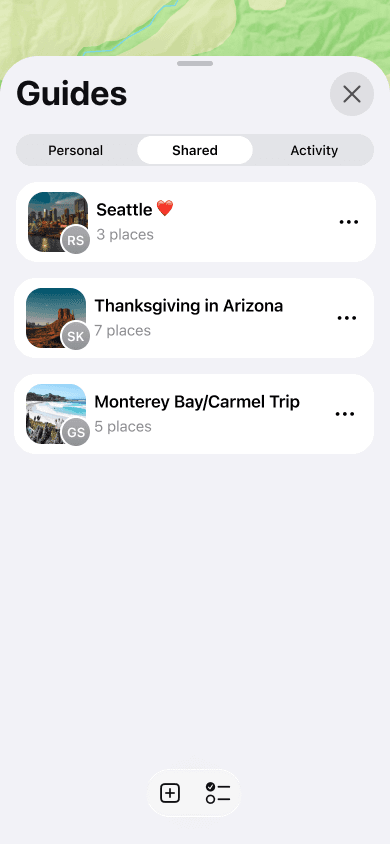
Sharing and Management
Segmentation of Personal vs. Shared Guides
Avatar indicator of the who created and shared a guide
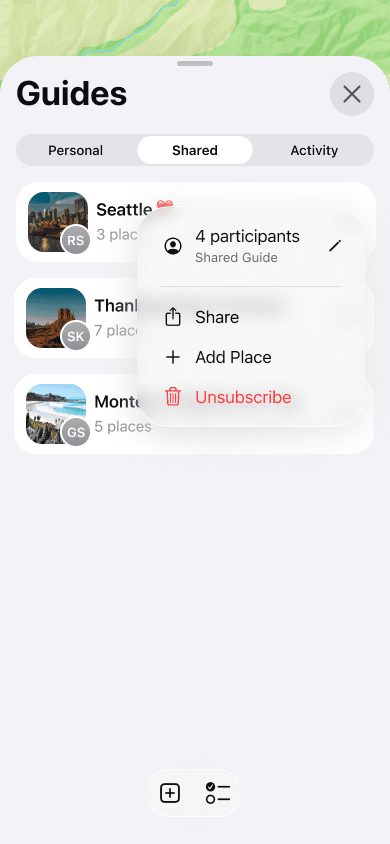
Context menu actions supporting:
Participant count and list for all subscribed users
Participant management for the guide owner
Direct addition of a place without having to open the guide to do so

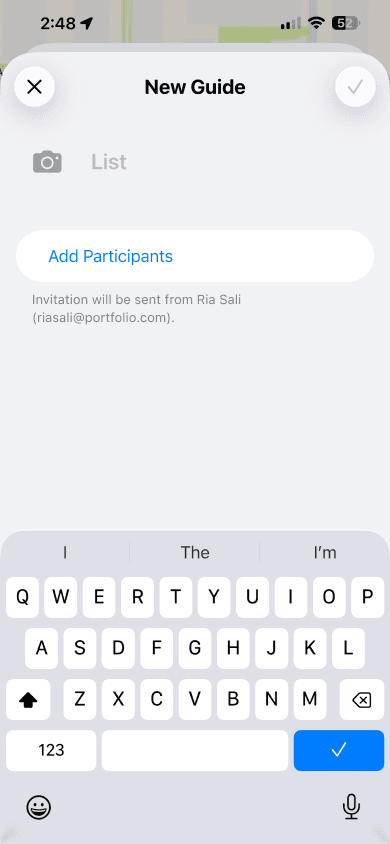
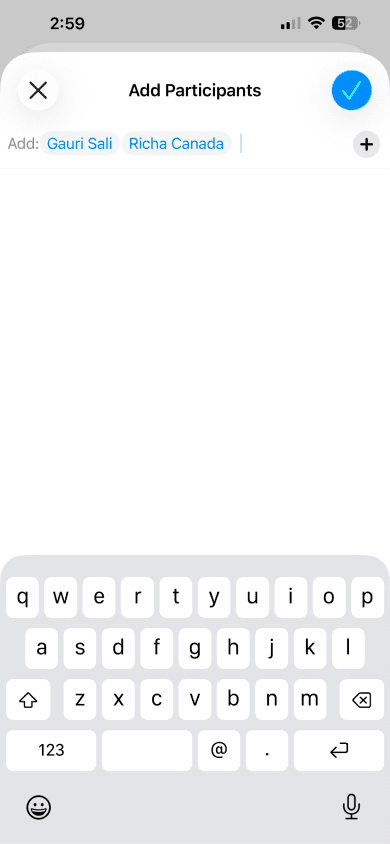
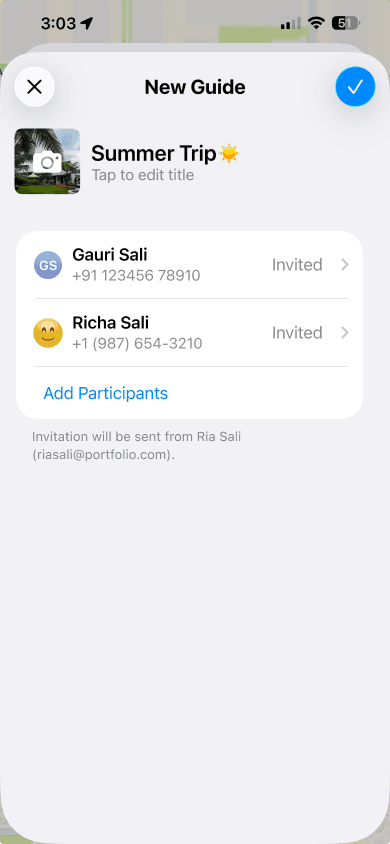
Creating and Sharing
Creating a new guide
Adding participants
Participant list and status
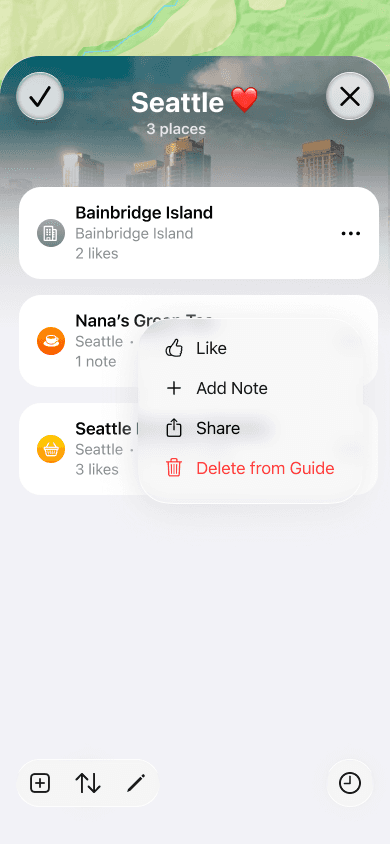
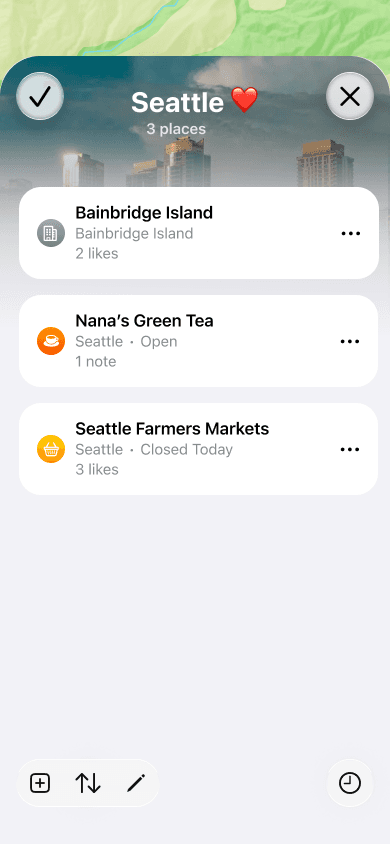
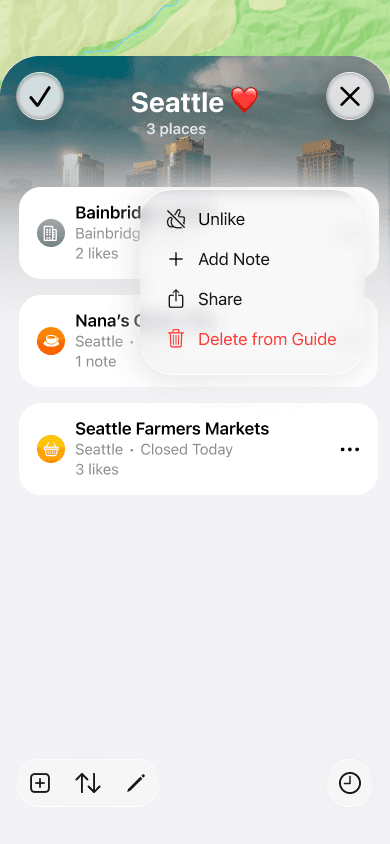
Place List and Contextual Actions
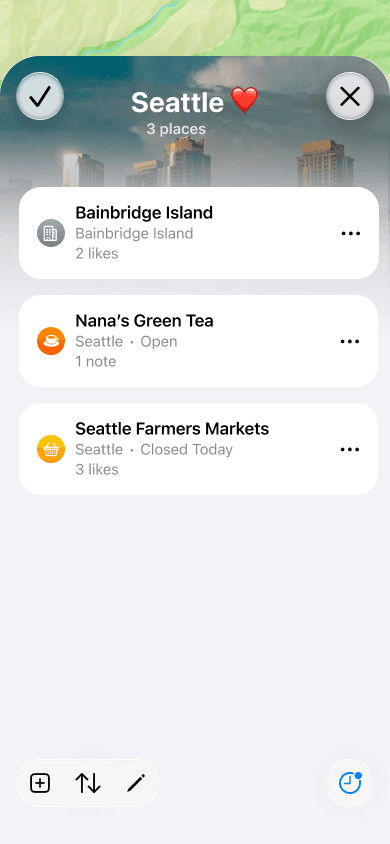
The guide has a location list with a new activity indicator in the bottom-right of the toolbar.
Disabled state when first created and there is no activity from other participants
Primary "notification" state when there has been new activity within the guide that has not been reviewed by the user yet
Subtitle in the place list item that indicates the number of likes or notes added as shared context
Context menu that allows the user to add a like or note to an added place

Async Activity
The activity button in the toolbar opens a modal sheet with recent activity listing.
Shows any additions made to the guide and by who
Ability to like any added locations as a "vote" when planning
Viewing any note added to a location from within the guide to serve as a shared comment


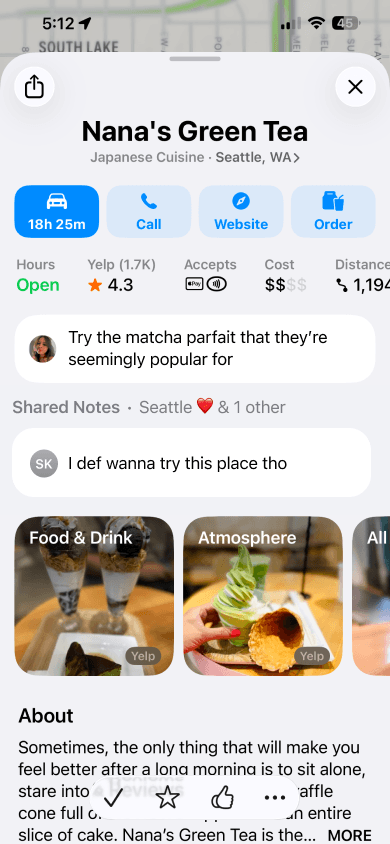
Shared Notes
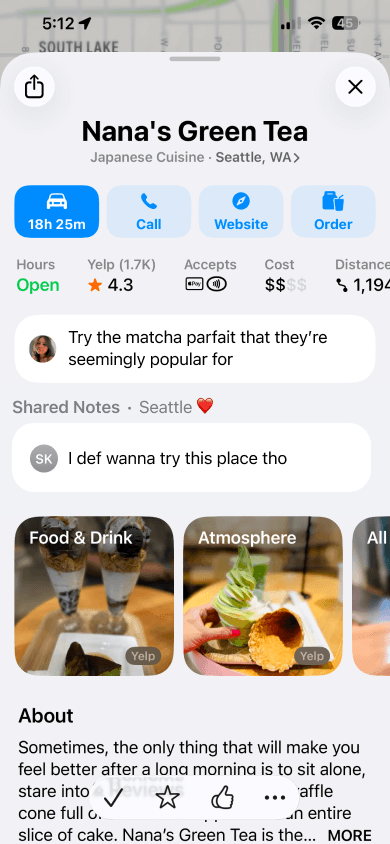
Segmentation of personal vs. shared notes added to a location.
Section header to highlight notes added from a shared guide
Modal sheet to view all shared notes for a location with sections if they come from different guides
Lack of mentioning and threads to avoid bulking up the notes or enabling social media-like behavior


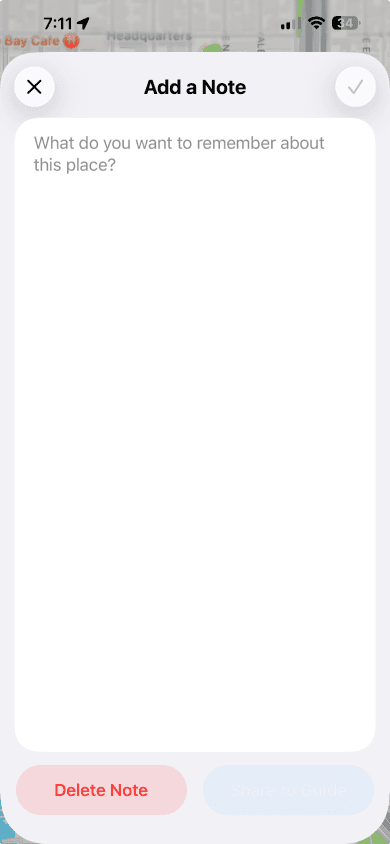
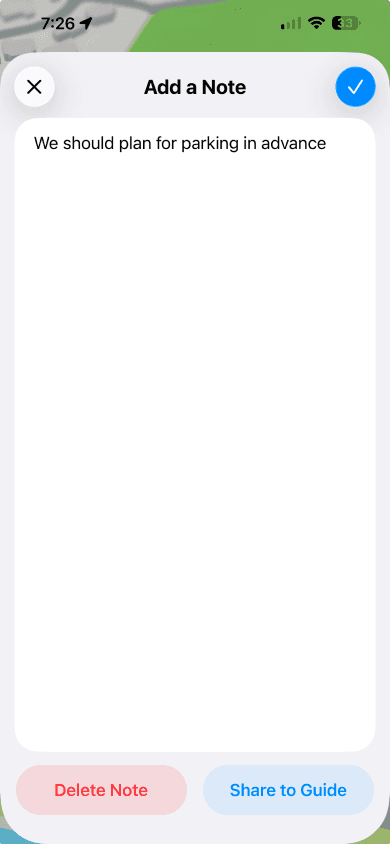
Adding a Note to a Guide
The user can add a personal note to a location, or choose to share it to a guide it is listed in
Sharing is enabled to a singular or multiple guides that have the place in the list

Exploring Prototyping with Claude Code and XCode
(ongoing)

List of Guides and Participant Management

Creating New Shared and Personal Guides

Adding Places to a New Guide
Reflection
This is an ongoing creative exercise in exploring a new functionality and trying to develop a new skill. As seen in the prototype demos of some flows, certain experiences feel janky due to buggy behavior and certain parts of the UI need to be adjusted to match iOS system specs closer.
I gave Claude Code in Cursor an overview to display the guides list and segmented control by providing the designs I made in Figma as a reference, and asked it to build me a functional prototype on iOS 26 using SwiftUI. Once it had created the project, I opened the file in XCode to test the build in the simulator. There were a lot of UI issues like:
The bottom toolbar not following iOS 26 guidelines
The segmented control being rectangular rather than pill-shaped
Primary color (blue) accents rather than black to follow iOS 26 color guidelines
Incorrect context menu icons/options/behavior
Incorrect padding, alignment and rounded corners/clipping, etc.
I manually fixed most of these by editing and adding modifiers so that I could familiarize myself with the files that were generated and pinpoint where each part of the design and build belonged.
I am currently still working on trying to fix up the current build by manual correction, using GPT 5 and Sonnet 4.5 models within XCode for more complex fixes, and adding the other listed capabilities I designed for using Opus 4.6 in Cursor.
Actively experimenting with this project is letting me learn a lot about bridging static and functional design when it comes to understanding implementation and its limitations. While the generated code is objectively not scalable or sustainable because there has to be more concise or well-architected ways of implementing the designed controls or views, it's been a great way to get insight into the technical part of mobile app-building while learning how to prompt.
Next Steps
Continue refining and expanding the prototype
Testing the experience and iterating on the design
See more explorations
Go Back