
UX/UI DESIGN

CASE STUDY–

THE OVERVIEW
Field workers, especially supervisors, require location awareness of their colleagues in the field when designating map assets on-the fly. Providing capabilities to improve spatial awareness across data inspection workflows allows users to better contextualilze and prioritize their tasks.
Timeline: ~2 months during the app rebuild
WHAT ARE OUR USERS DOING?
A common workflow for our field users is to receive a list of tasks they need to complete in a day, which usually means having to visit several locations in a given area for inspection or data collection purposes.
Management.
When looking to delegate work on-the-fly, the supervisor would need to know the location of their workers to assign any inspections based on their proximity to a given high priority task.
Physical Collaboration.
Inspectors may need to know where the others are on the field during handoffs or emergencies.
Clarity.
When discussing a plan of action or looking to highlight any areas of concern on the map, users need a way to convey what they’re seeing or encountering in their view to others that are not physically present in the same space.

Field Workers

Field Supervisor

GIS Office Admin
HOW DID WE TRY TO BRIDGE THIS GAP?
Field Maps already has location tracking capability, but this is collected as a set of points on a separate map layer that is uploaded for administrators to view on ArcGIS Online, a web product. It is therefore not suited to real-time, mobile-first collaboration for those without GIS knowledge.
During the app rebuild, we decided to leverage new updates to Apple’s SharePlay technology, which allows users to engage in shared collaborative experiences simultaneously. This was to achieve a constrained, concise solution without much overhead to an already lengthy rebuild.
Asking a lot of questions. Field Maps is a complex product with a lot of reliance on location receivers and data persistence, and so it was necessary for me to evaluate their impact on the flow and set hard constraints for the first release.
To eliminate complication that may arise from individual user-curated maps like map layer toggling, we decided to:
Simplify the level of detail when sharing views
Keep states restricted to the call with no persistence
Isolate the experience to focus on the map itself, not external reliances like GPS accuracy
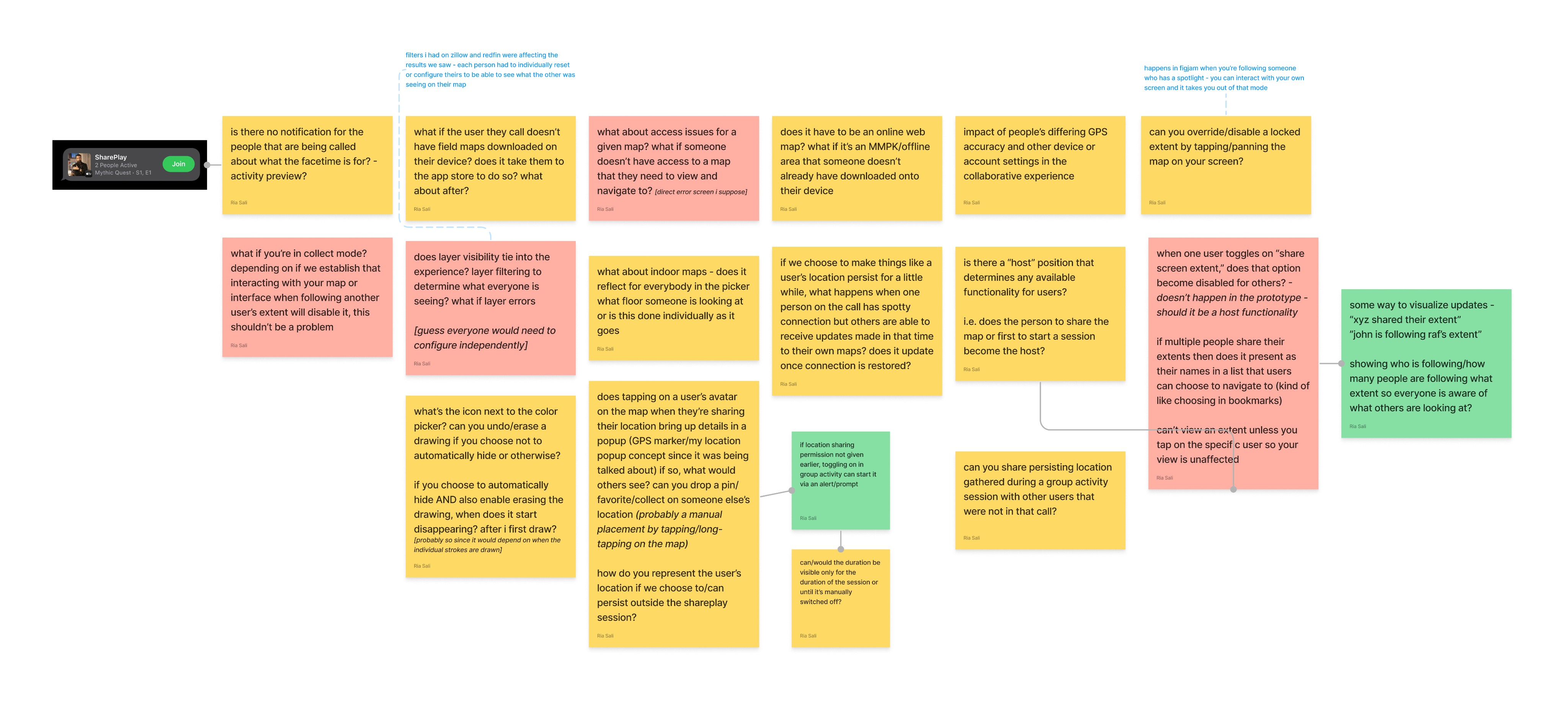
then, I put cursor to FigJam for...
Whiteboarding. I looked at iOS, iPad OS and web apps that facilitate real-time collaboration. This was a mix of first, third party apps and Apple’s WWDC videos. The goal was to identify:
Native components and patterns
SharePlay terminology and guidelines
Constraints on level of collaboration
Indicators of activity
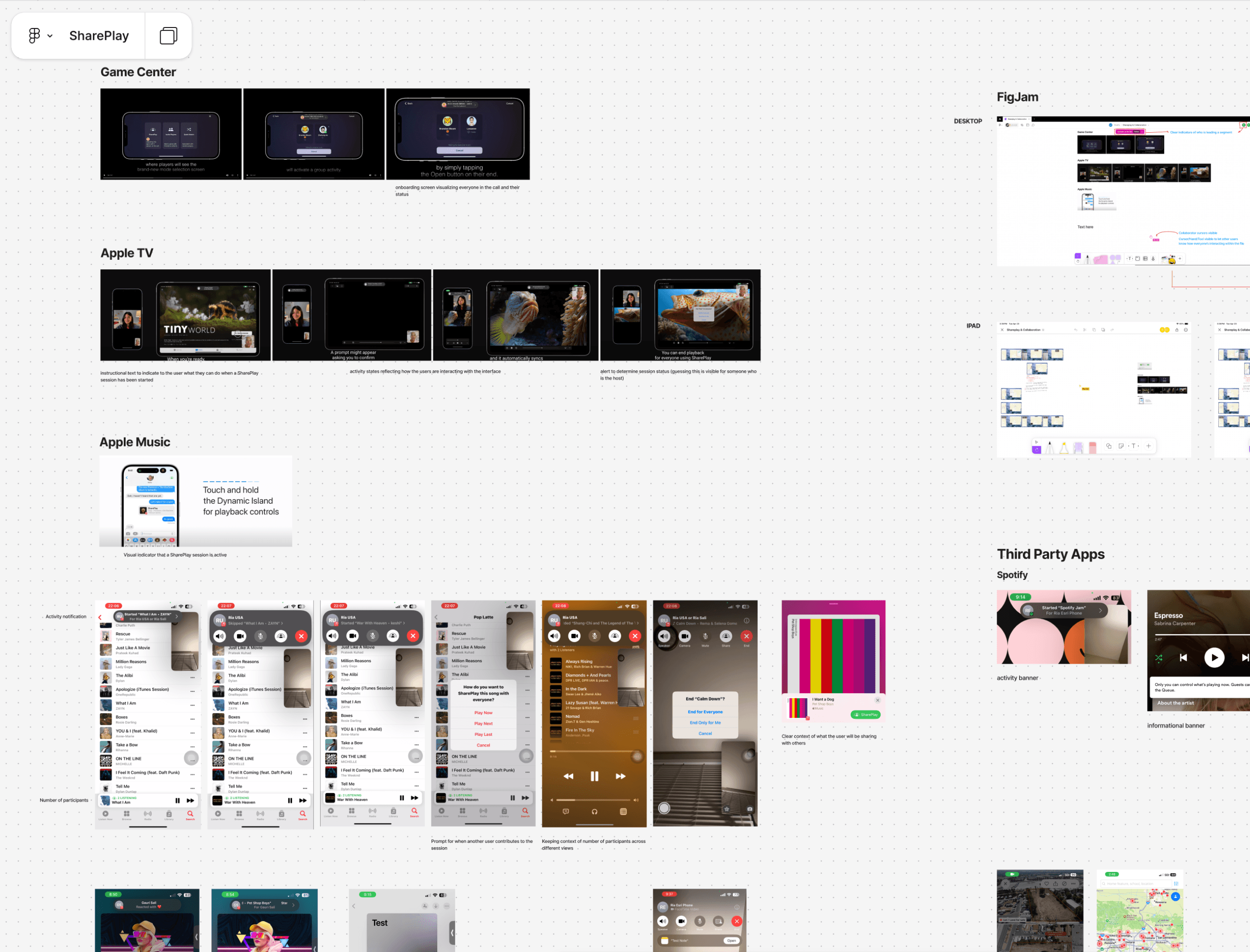
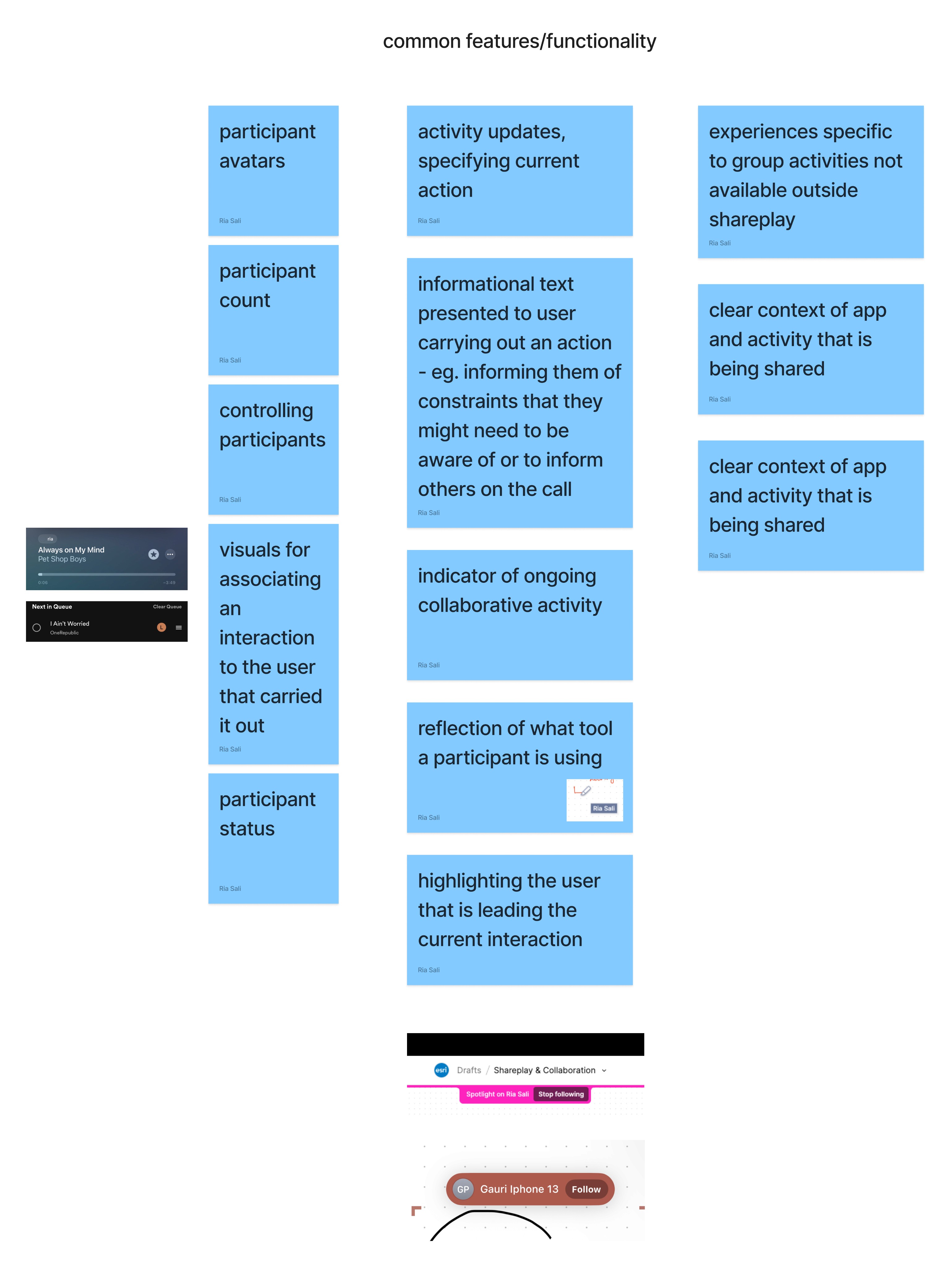
Now that there’s a good set of patterns,
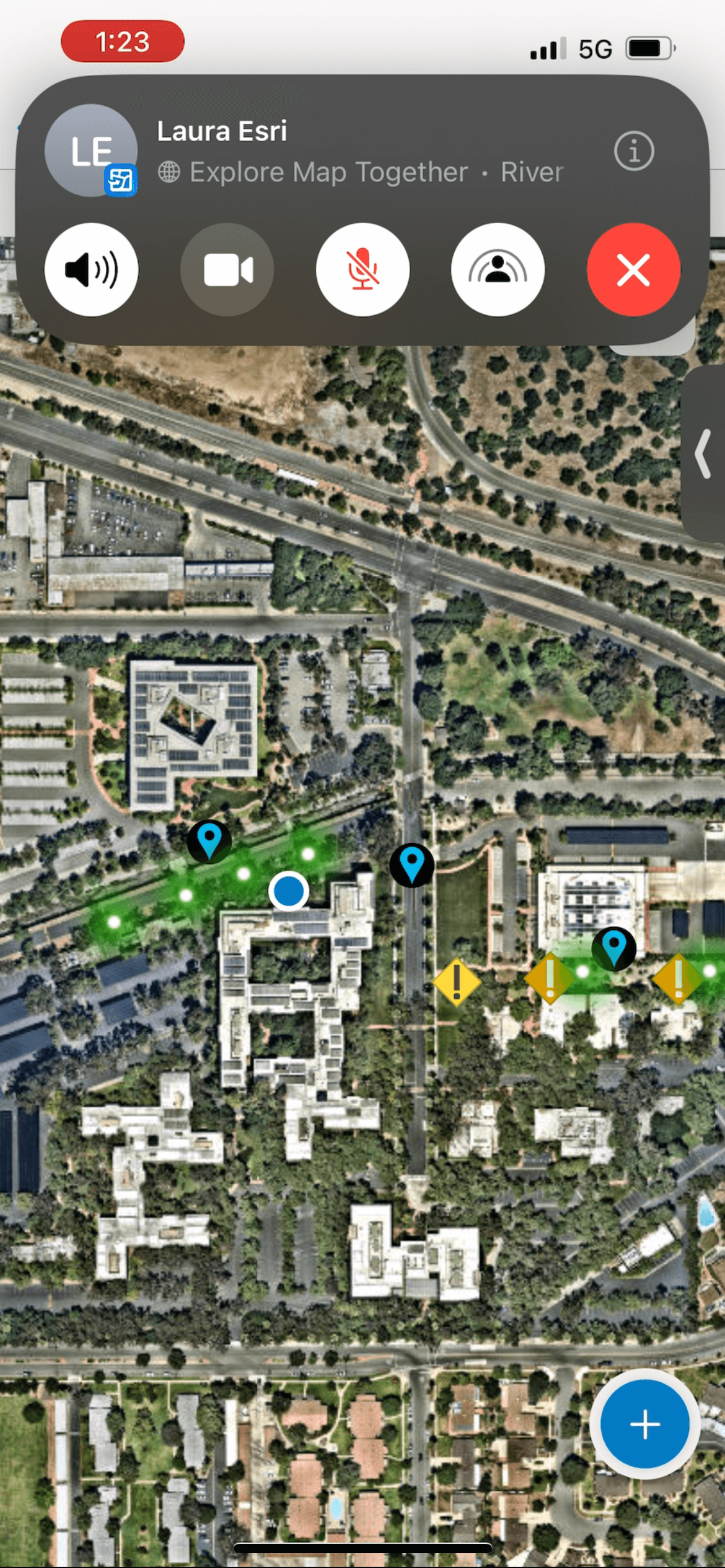
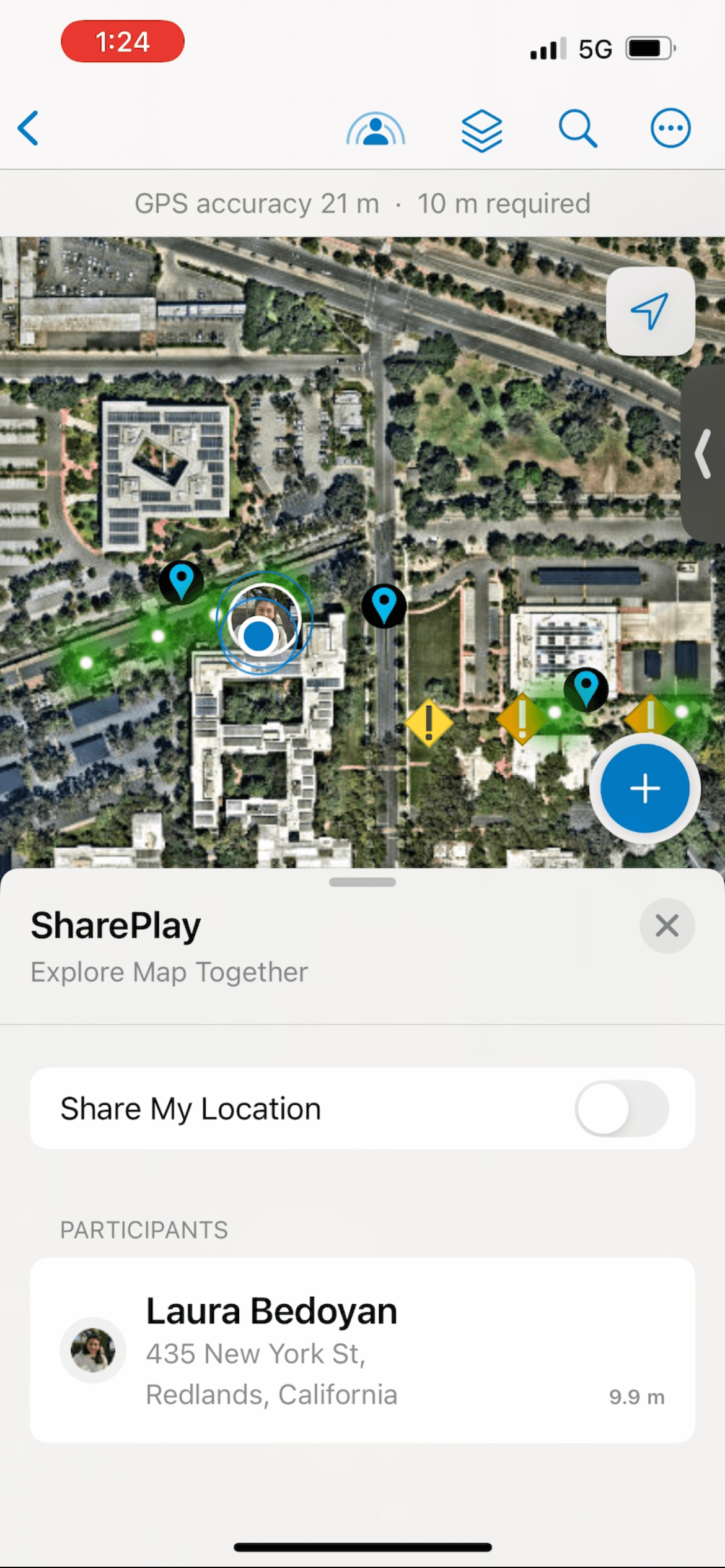
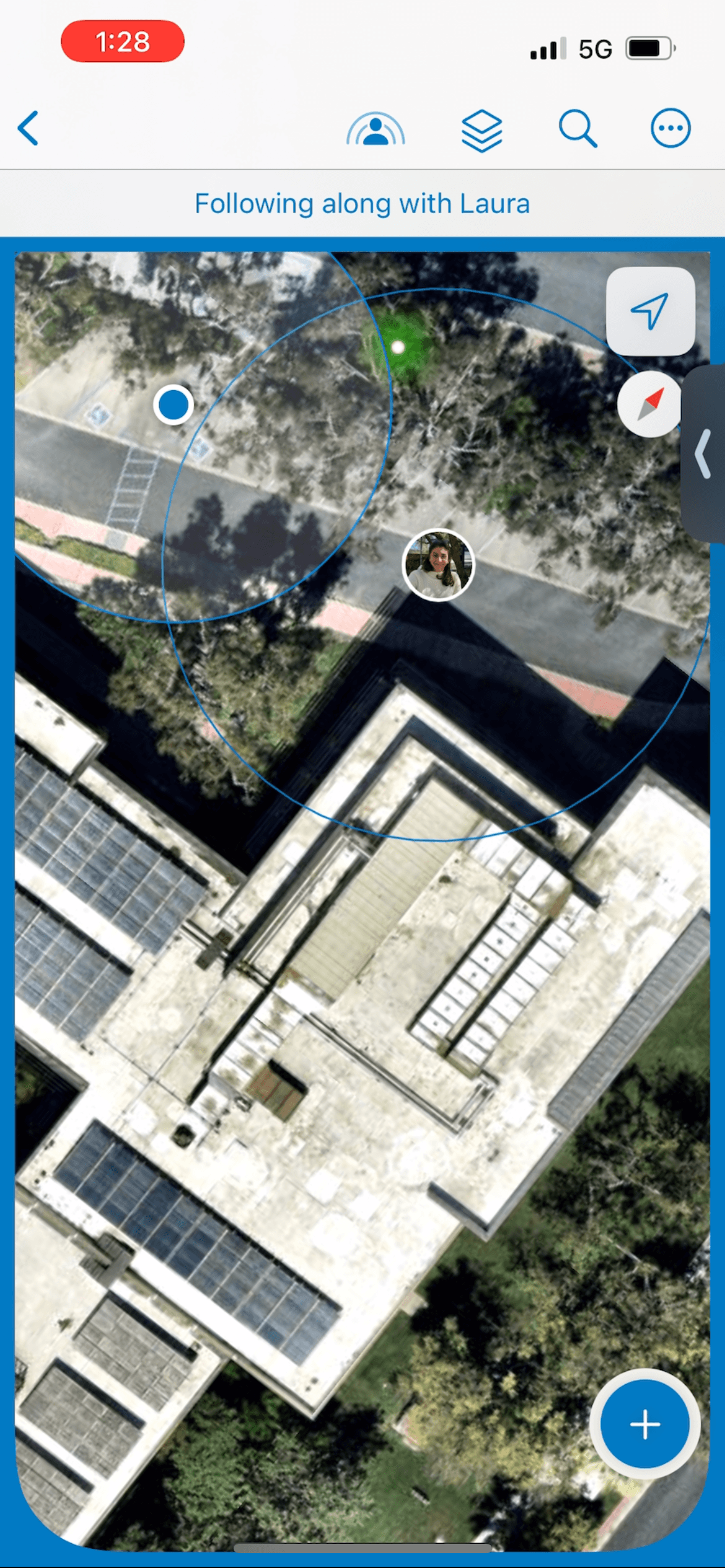
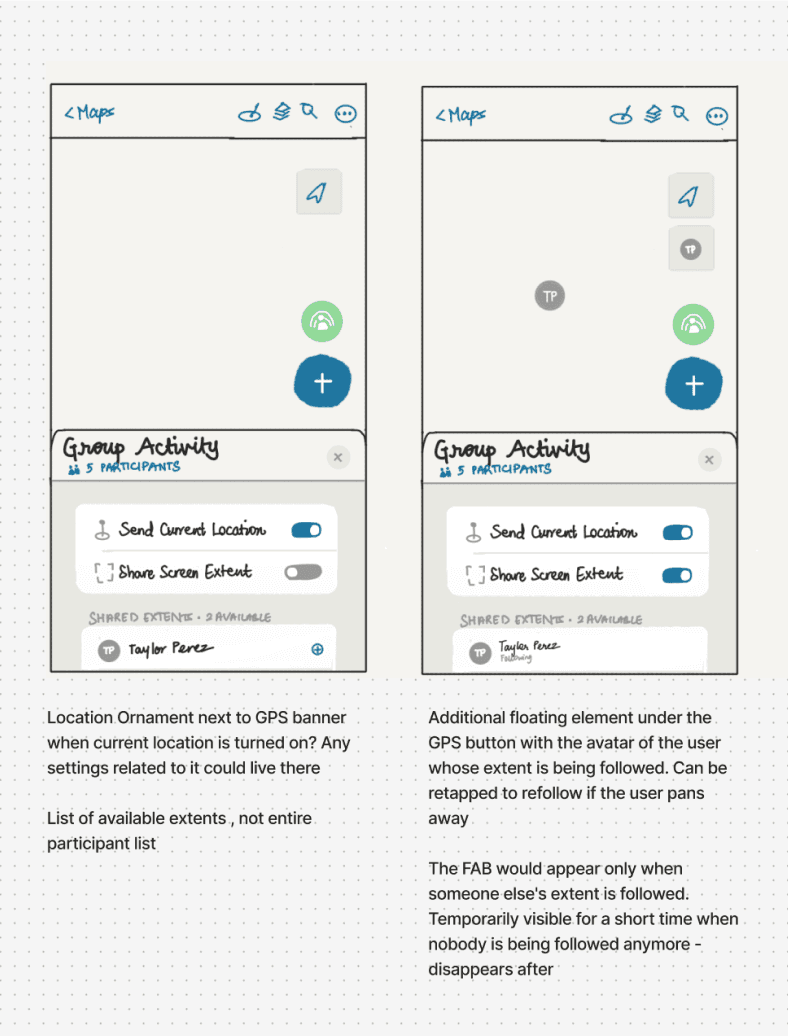
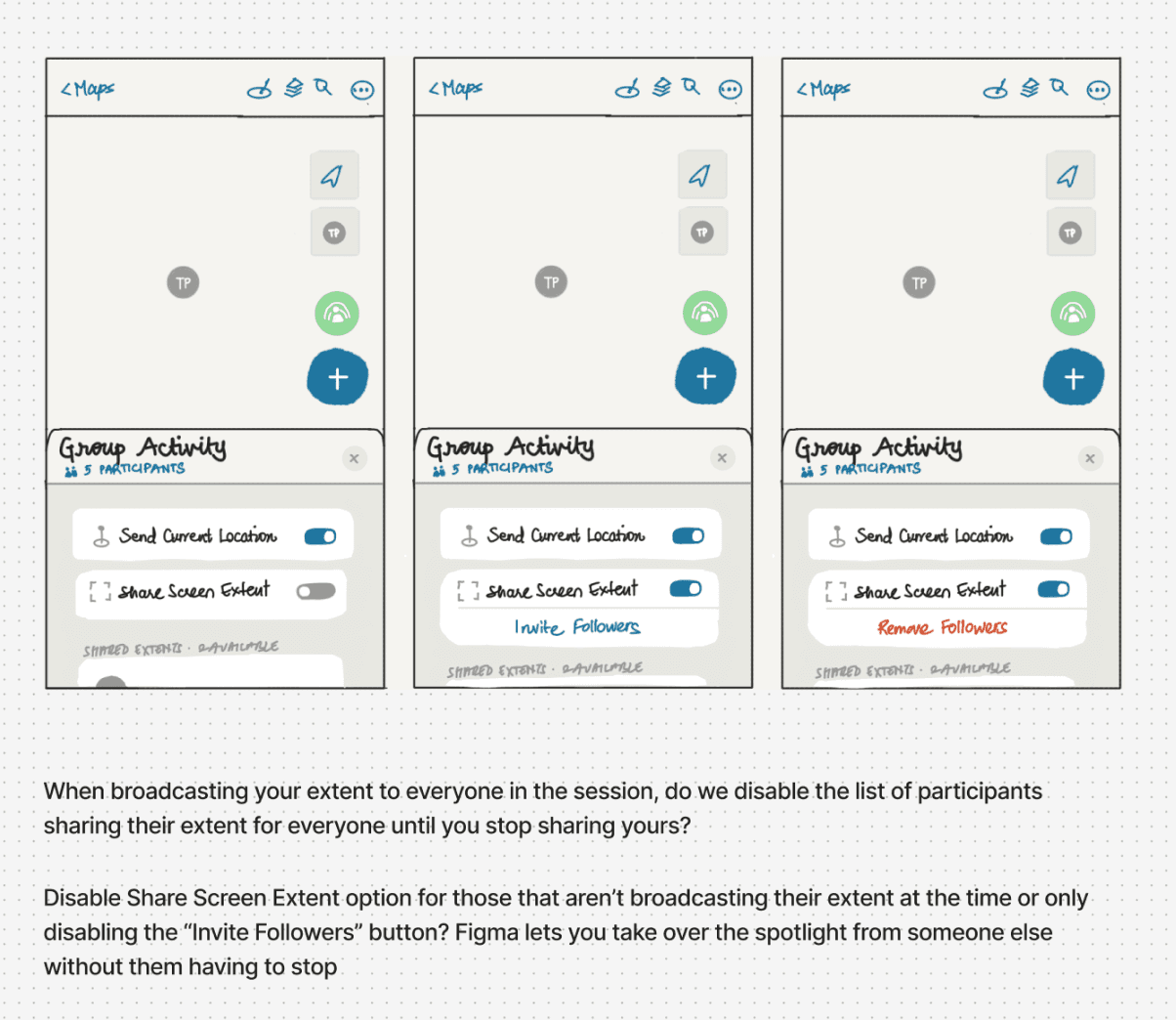
Sketching. Lots of it. We wanted to let users have the ability to share their location and the map extent they're zoomed to (which behaves similar to a Figma canvas) to others in the call and view the same to support remote collaboration.
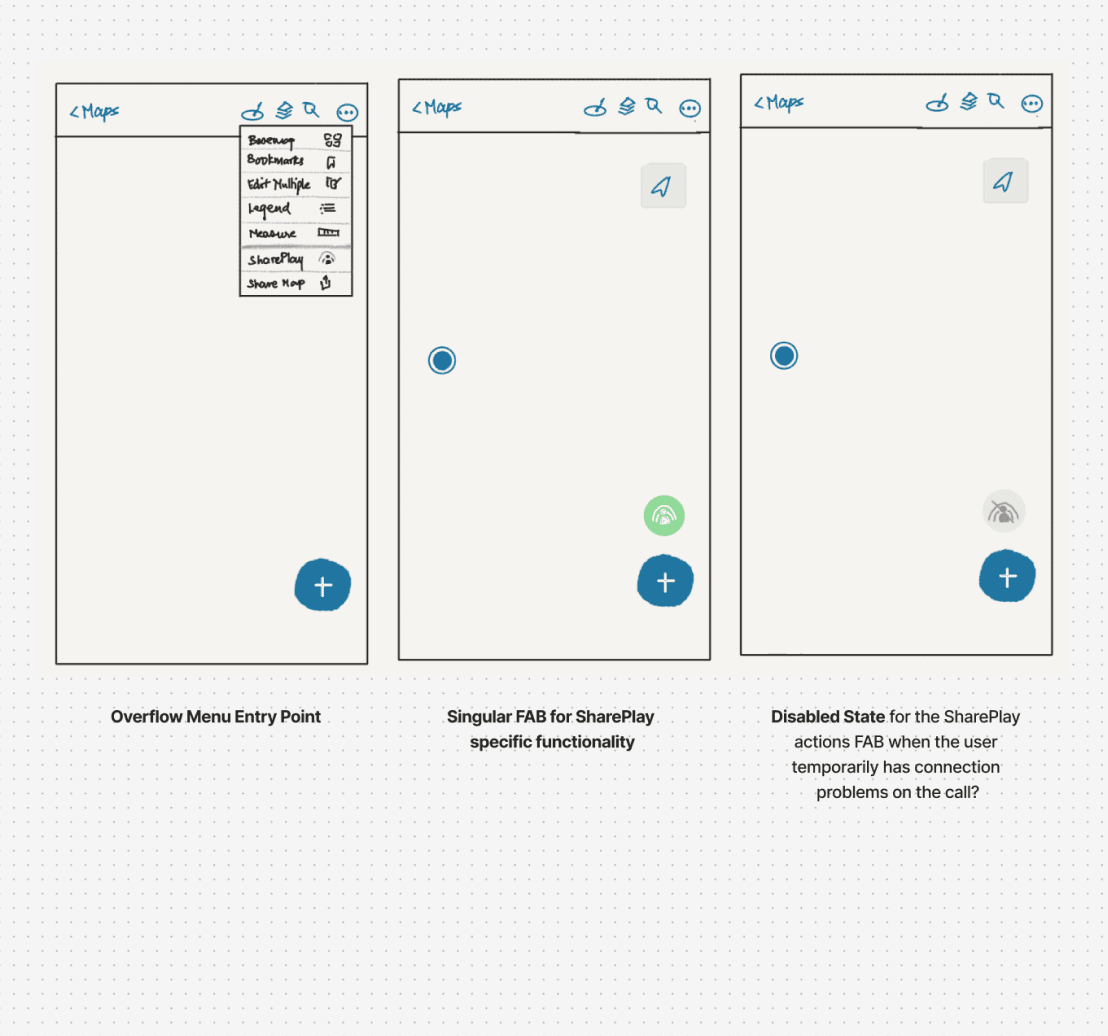
Cracking open Sketch
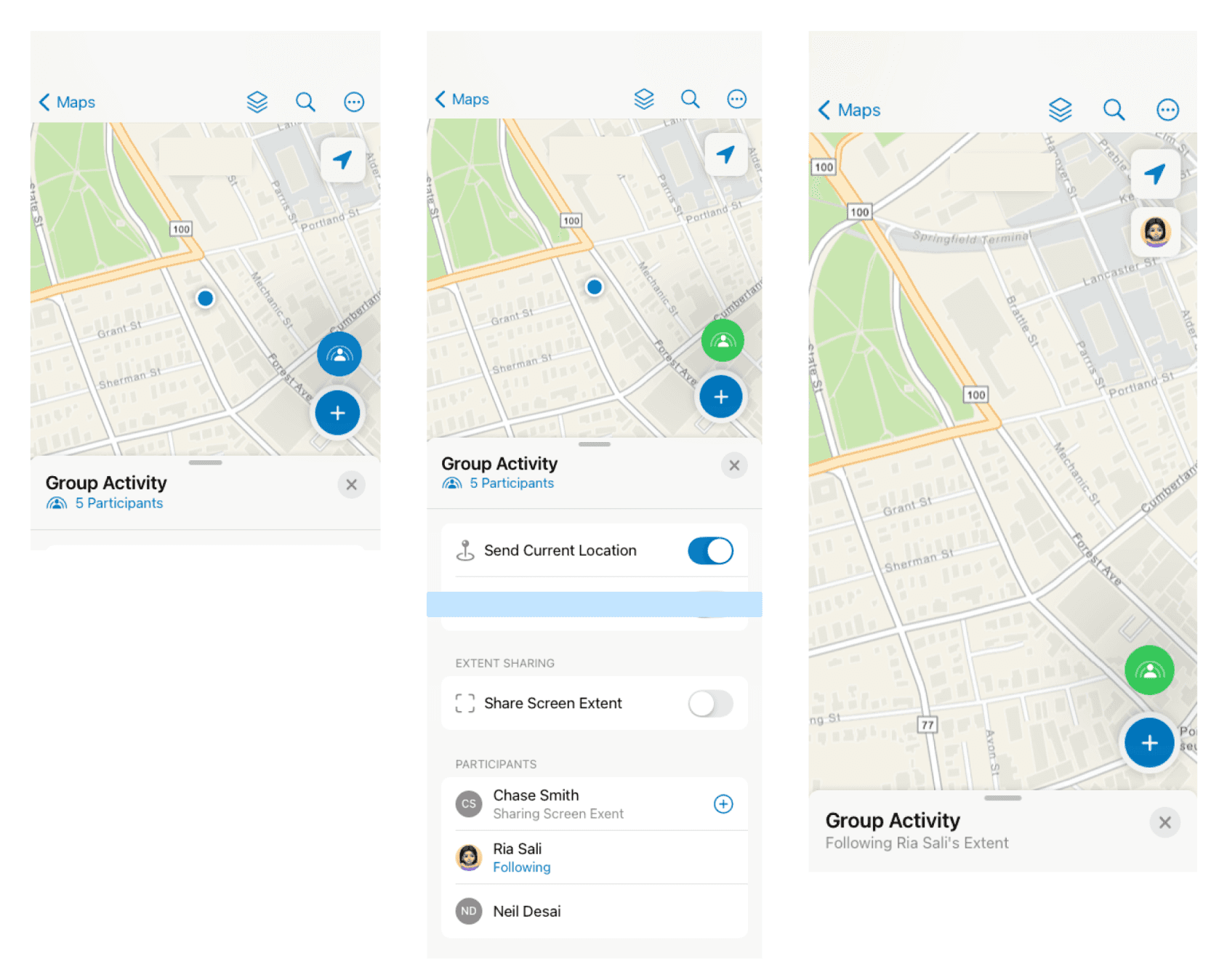
Using system components from Apple’s Sketch Library and custom ones from the Field Maps library, I put together several proposals of the different elements built on patterns from research. Here are a few—
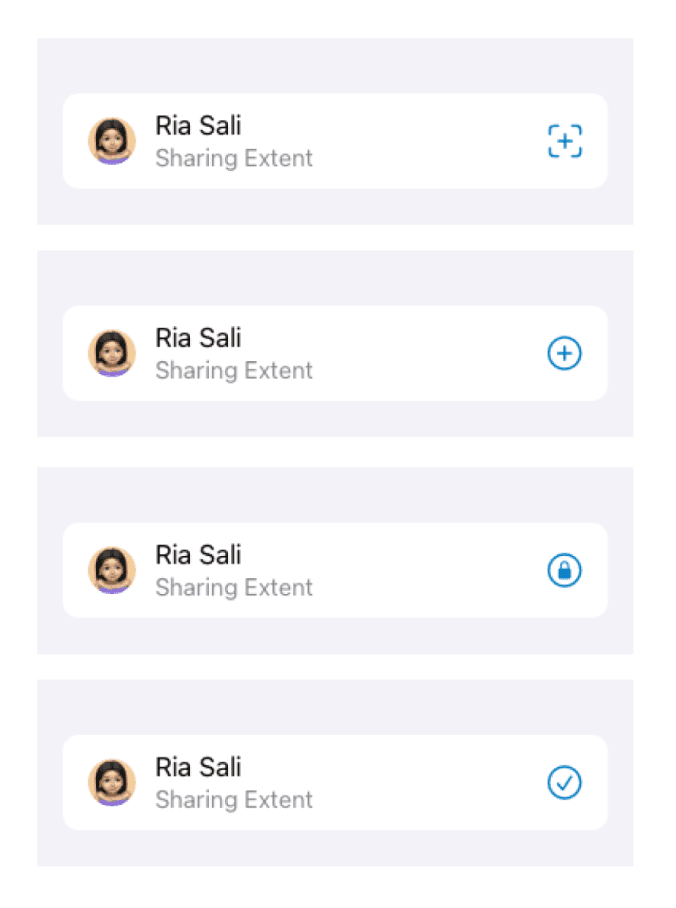
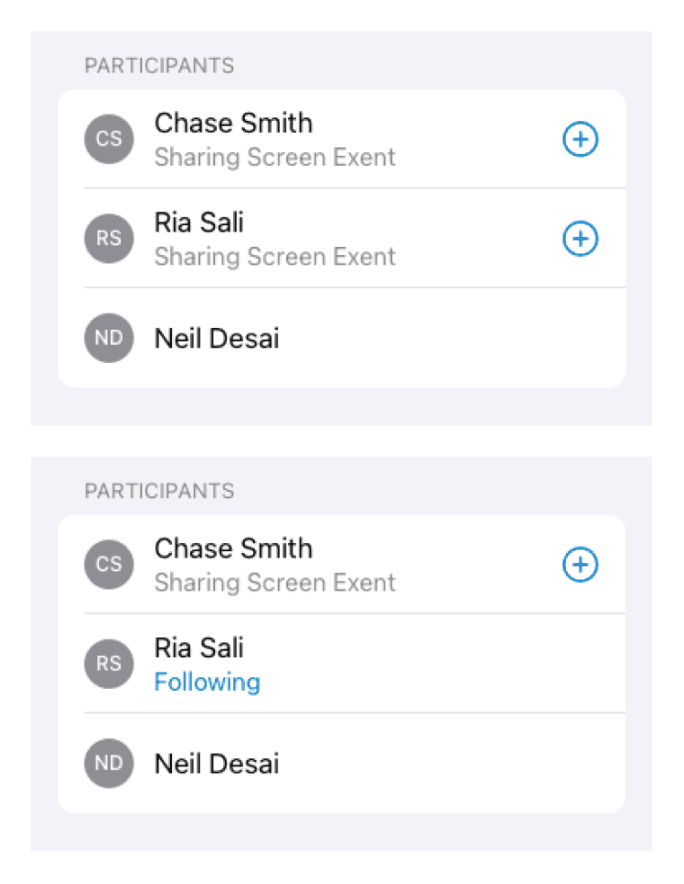
Participant States with Actions
I iterated, of course.
While more out-of-the-box exploration helped me think about different ways a user could interact with the UI, it was ultimately necessary to:
Reuse more existing patterns from our app, even if new components I referenced were system
Associate actions for an active user to their dedicated view rather than providing everything upfront
Avoid crowding the main map view with additional FABs
Field Maps, today.
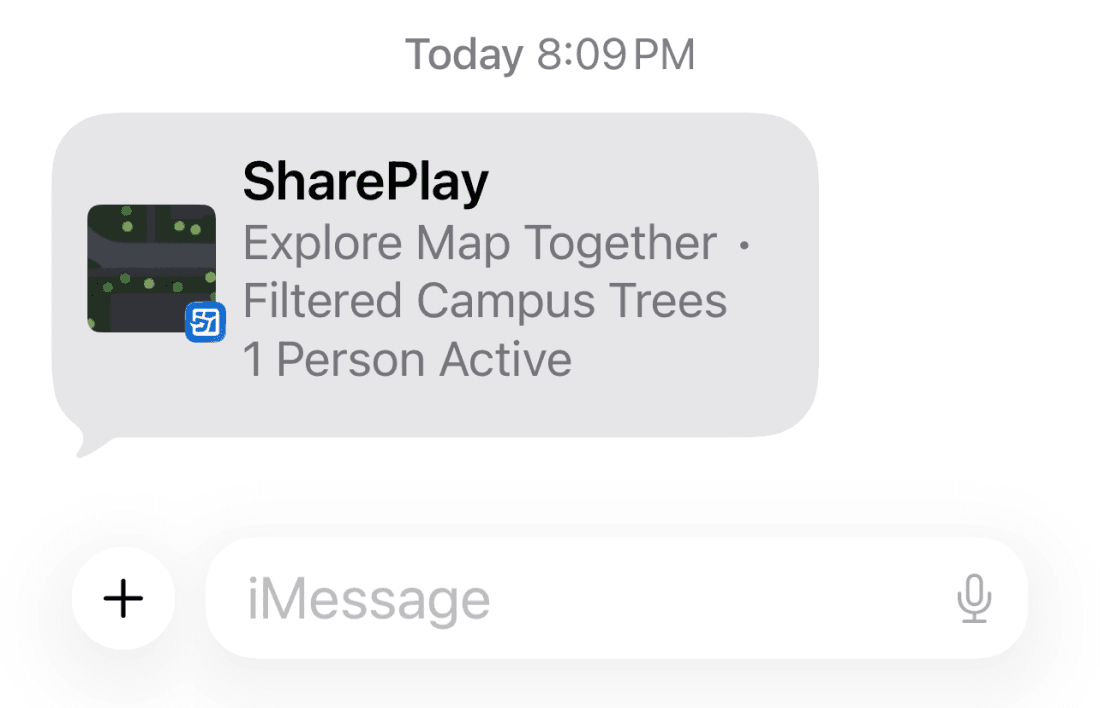
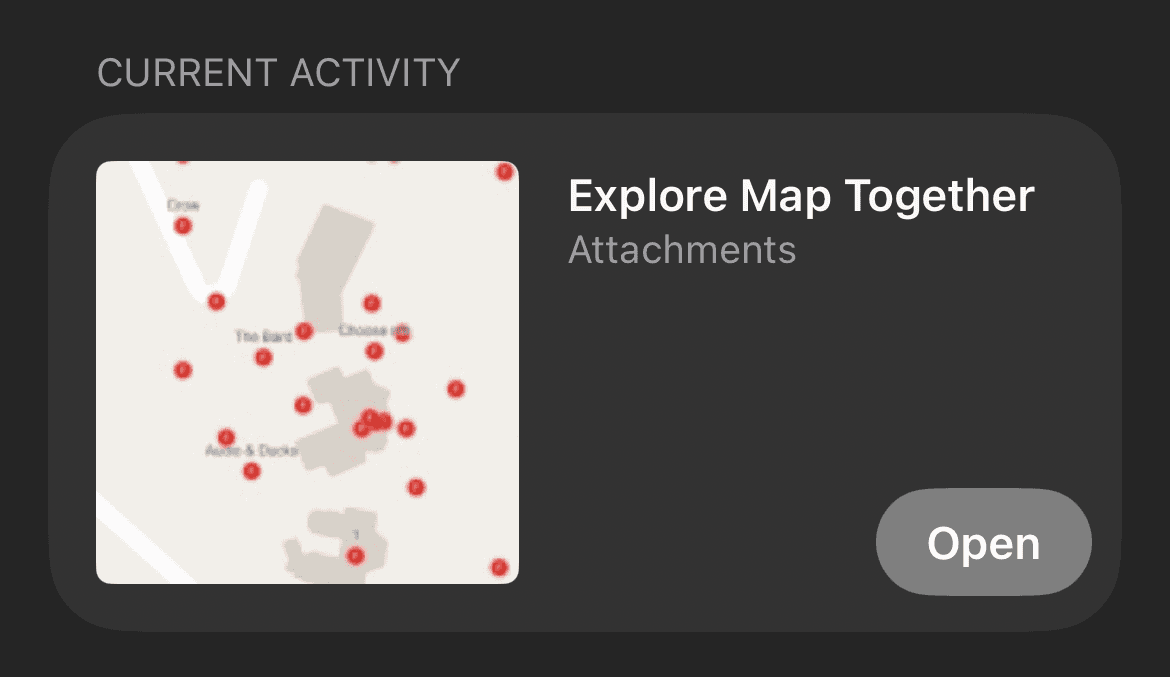
Aside from the main UI, we had to think about the entry point and item that would be shared to users asked to join a session. This is defined as an “Activity Preview” by Apple, and can be shared via iMessage or FaceTime.
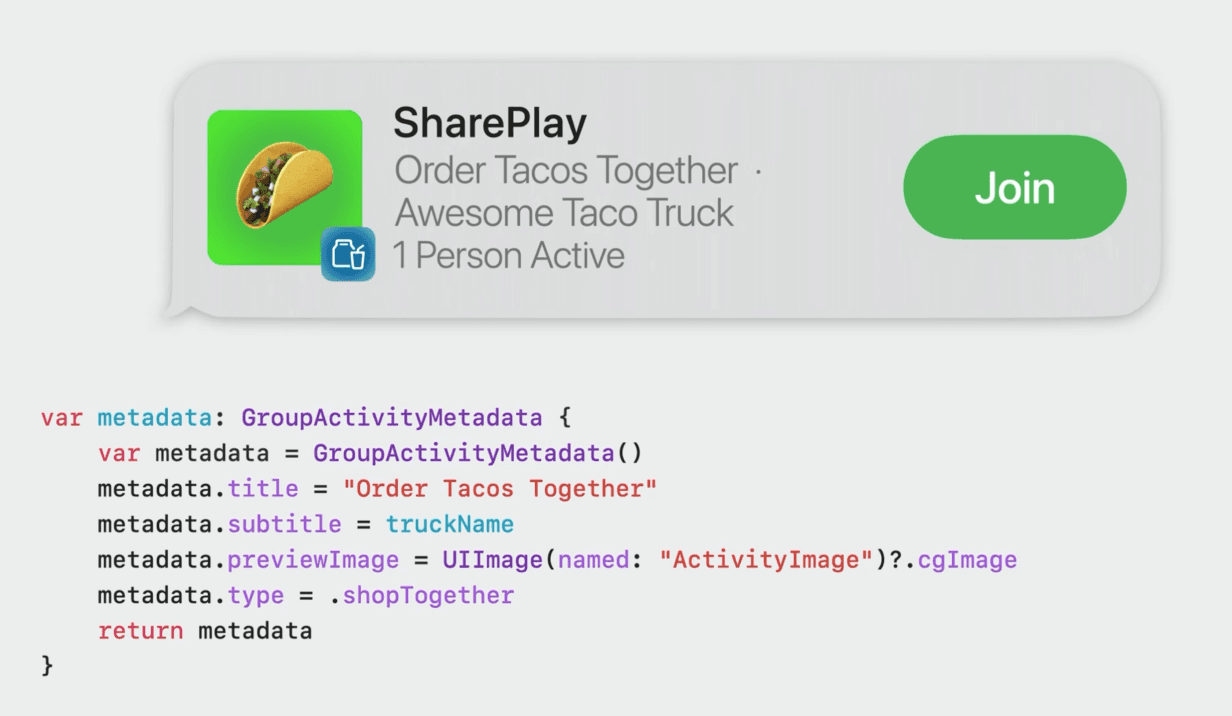
WWDC Session on SharePlay
Activity Summary on FaceTime
Activity Summary on iMessage
Metadata Required – Activity Title, Subtitle, Preview Image, Activity Type
Activity Title - Explore Map Together
Subtitle - Map Name
Image - Map Thumbnail originally configured in ArcGIS Online

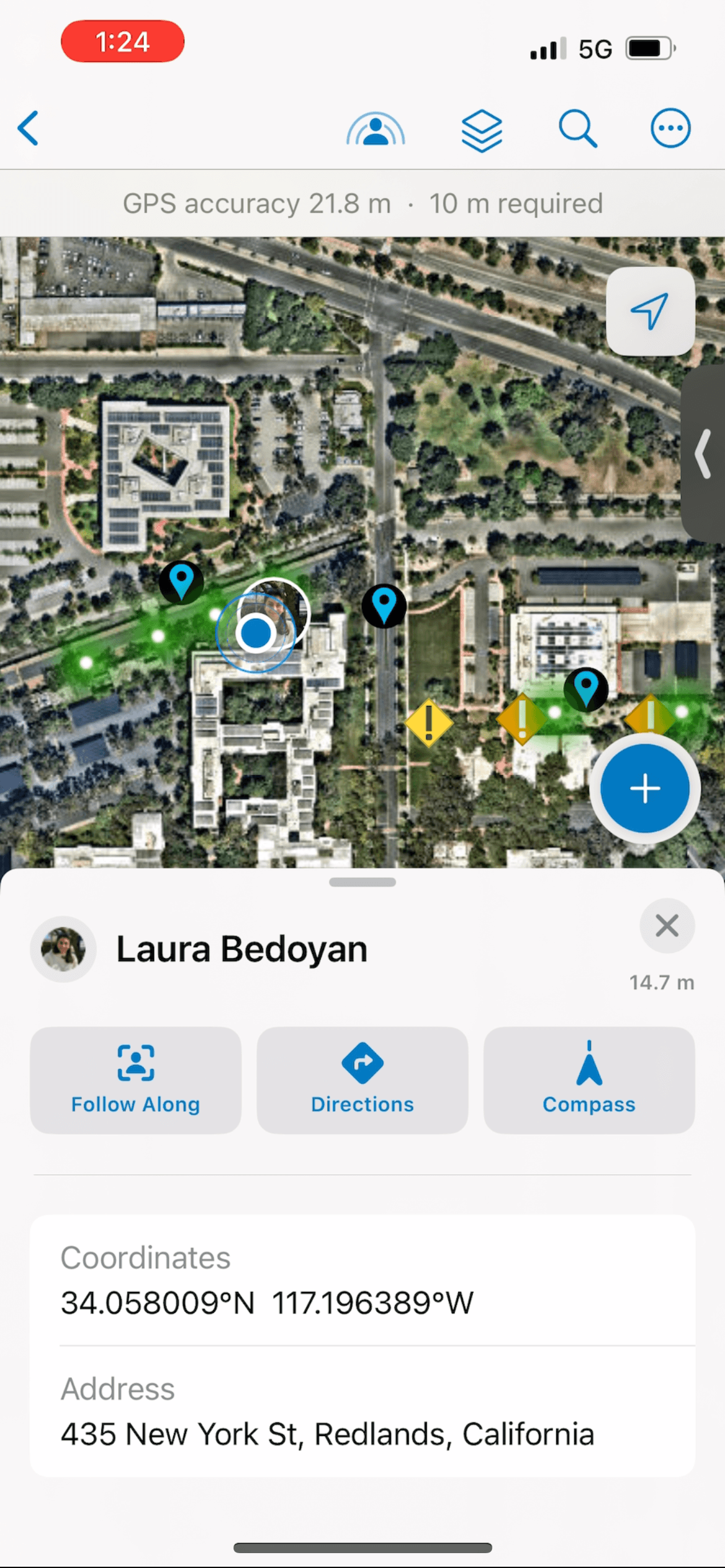
Participant List, Participant Details + Zoom to Location

Follow and View Participant's Map Extent

“User is viewing your extent”
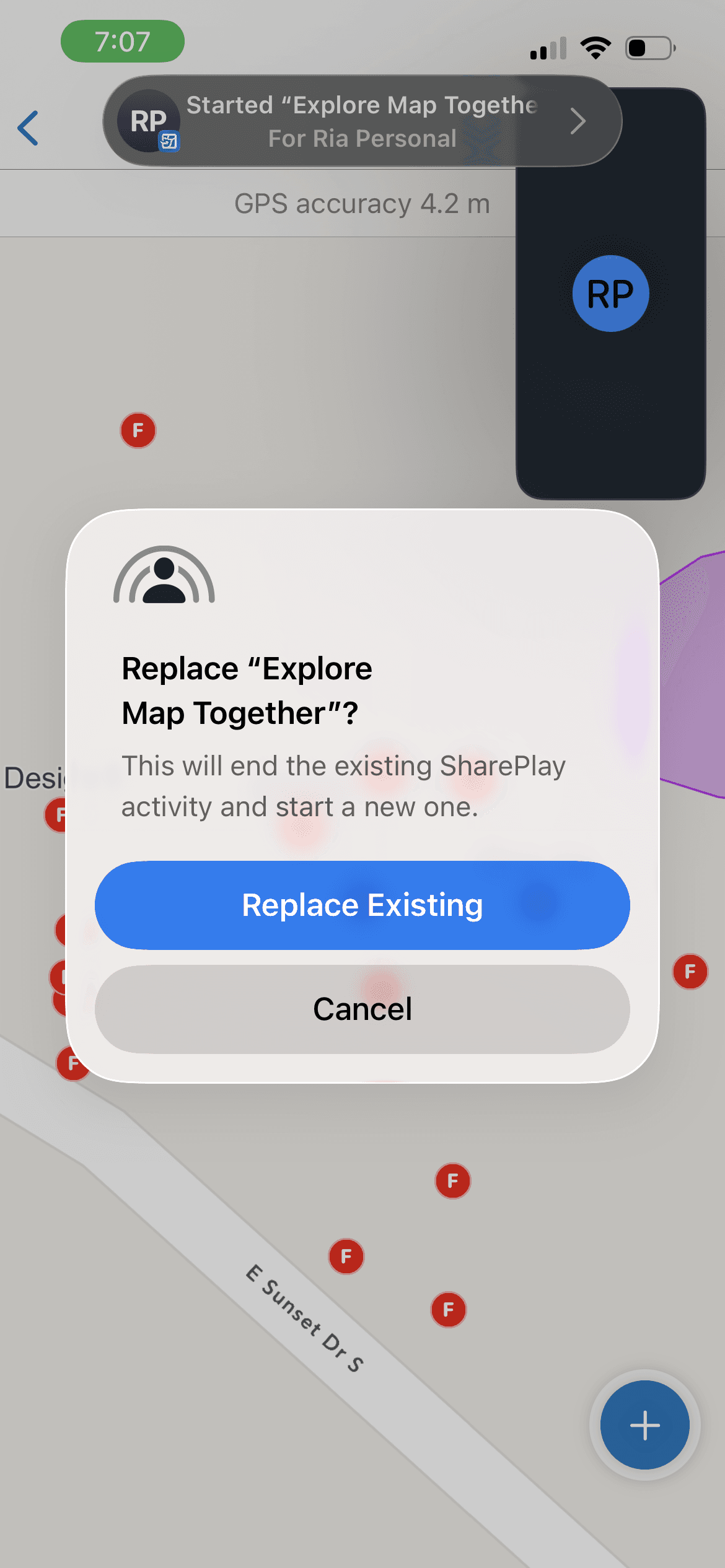
Choosing Another Map During an Active Session = New Activity
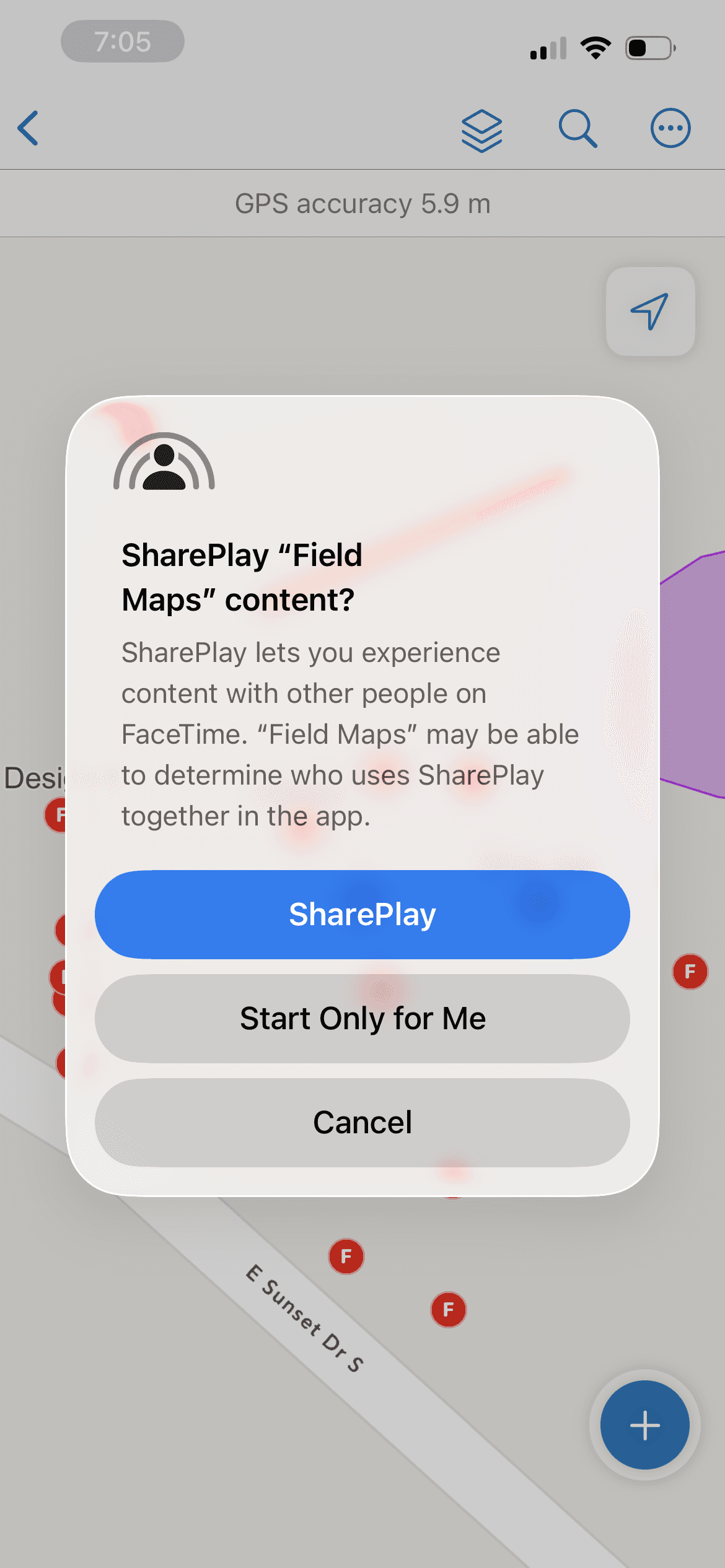
System Alert at Session Start
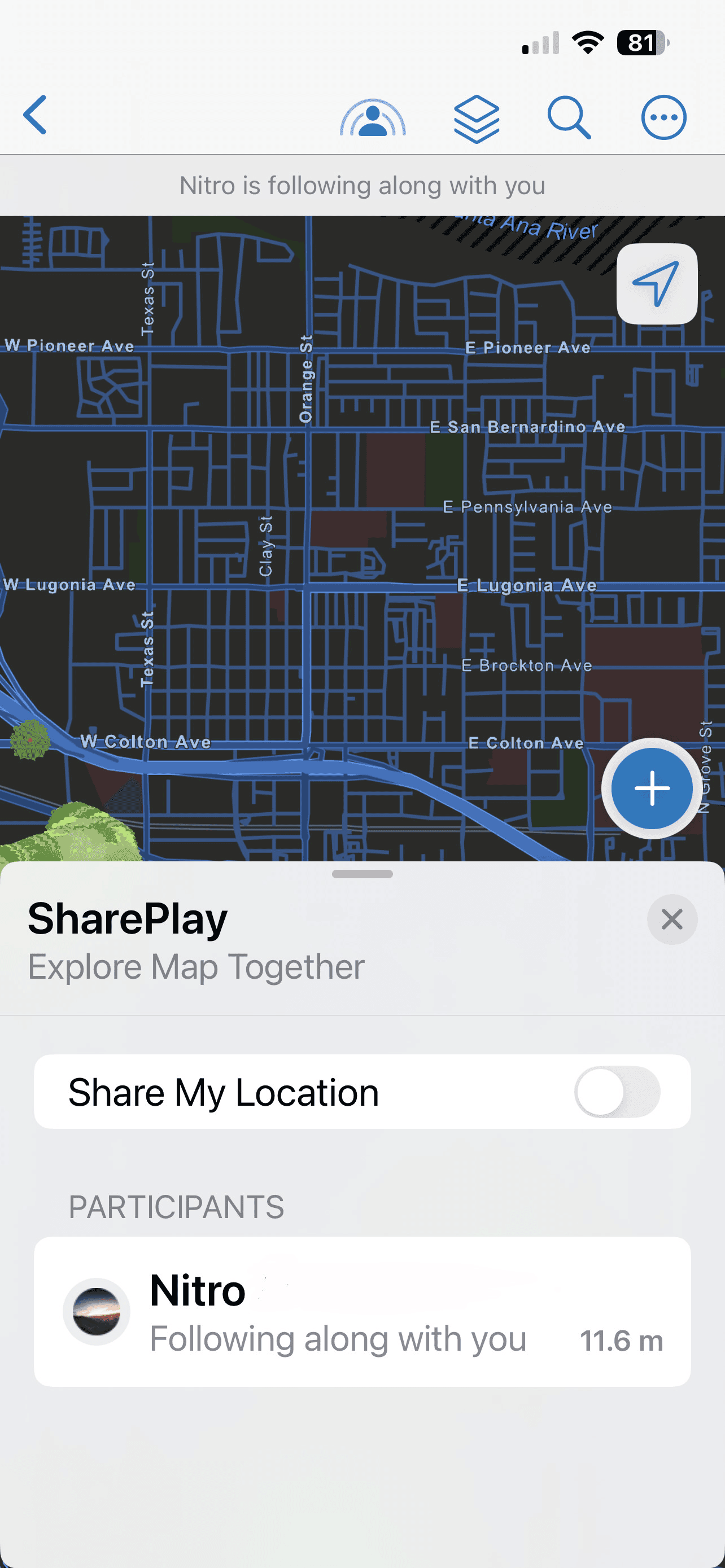
Indicator of Participants Viewing User’s Extent
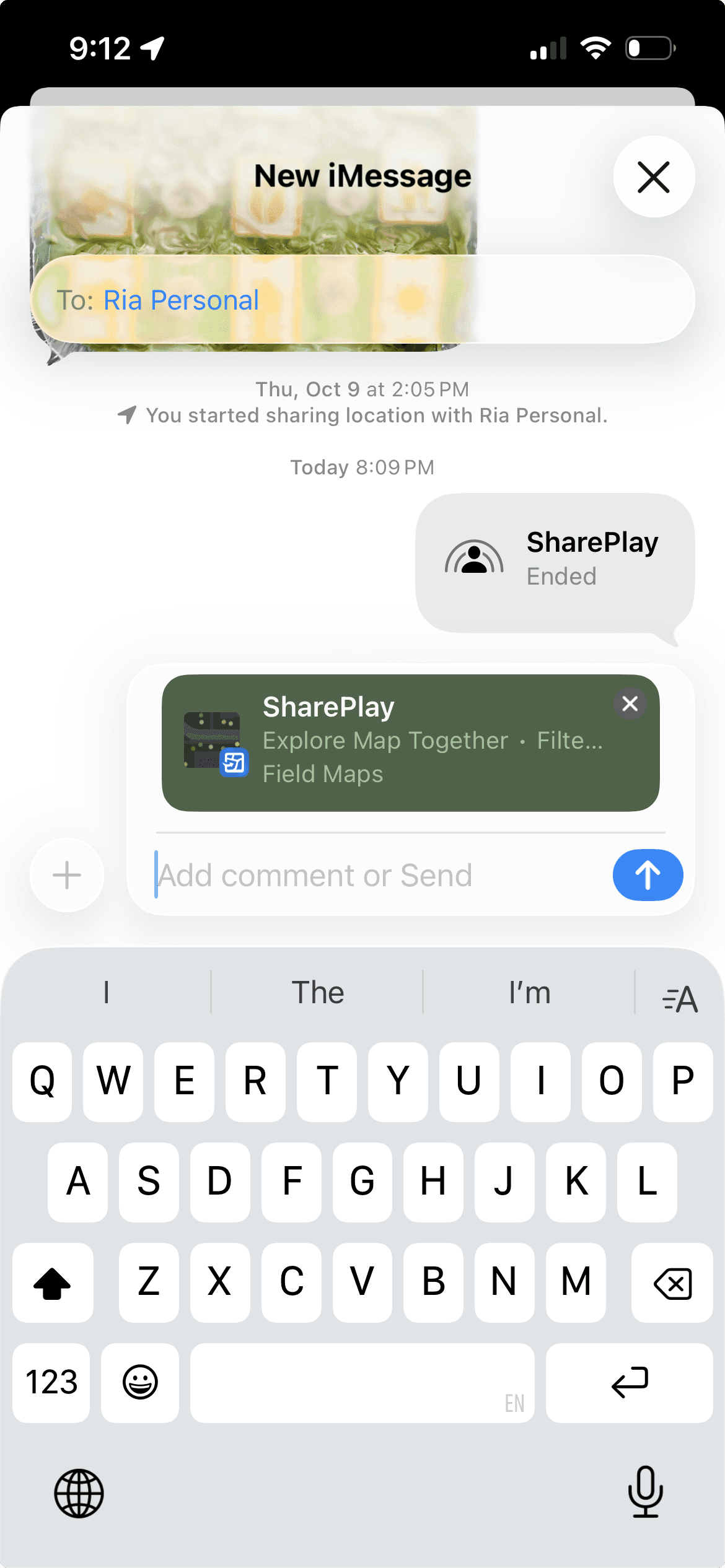
Activity Shared to User
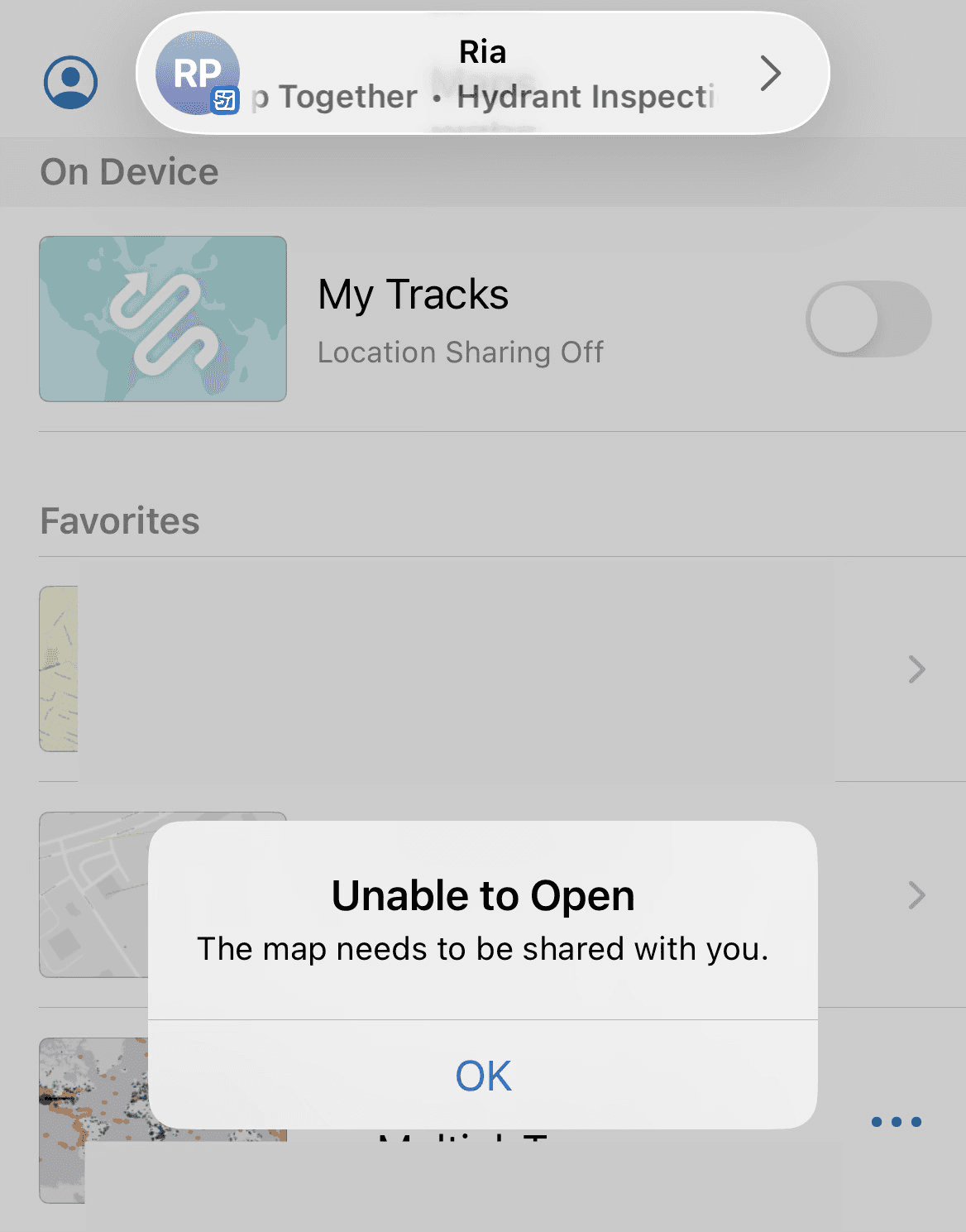
Error State For Unavailable Map
The map name is listed
WHERE MIGHT WE GO NEXT?
SharePlay is a new technology to the team, and our users. There is scope for much improvement in performance as the technology evolves. We have been discussing additional capabilities that will be worked on in the future as constraints loosen.
The current design targets very specific parts of complex field operations, and will be promoted through demos to our customers during client calls, field observations, and various user and technical conferences that Esri hosts throughout the year. Given the fresh release of the new Field Maps rebuild, we look forward to user feedback through our various channels to improve and optimize the feature and product.